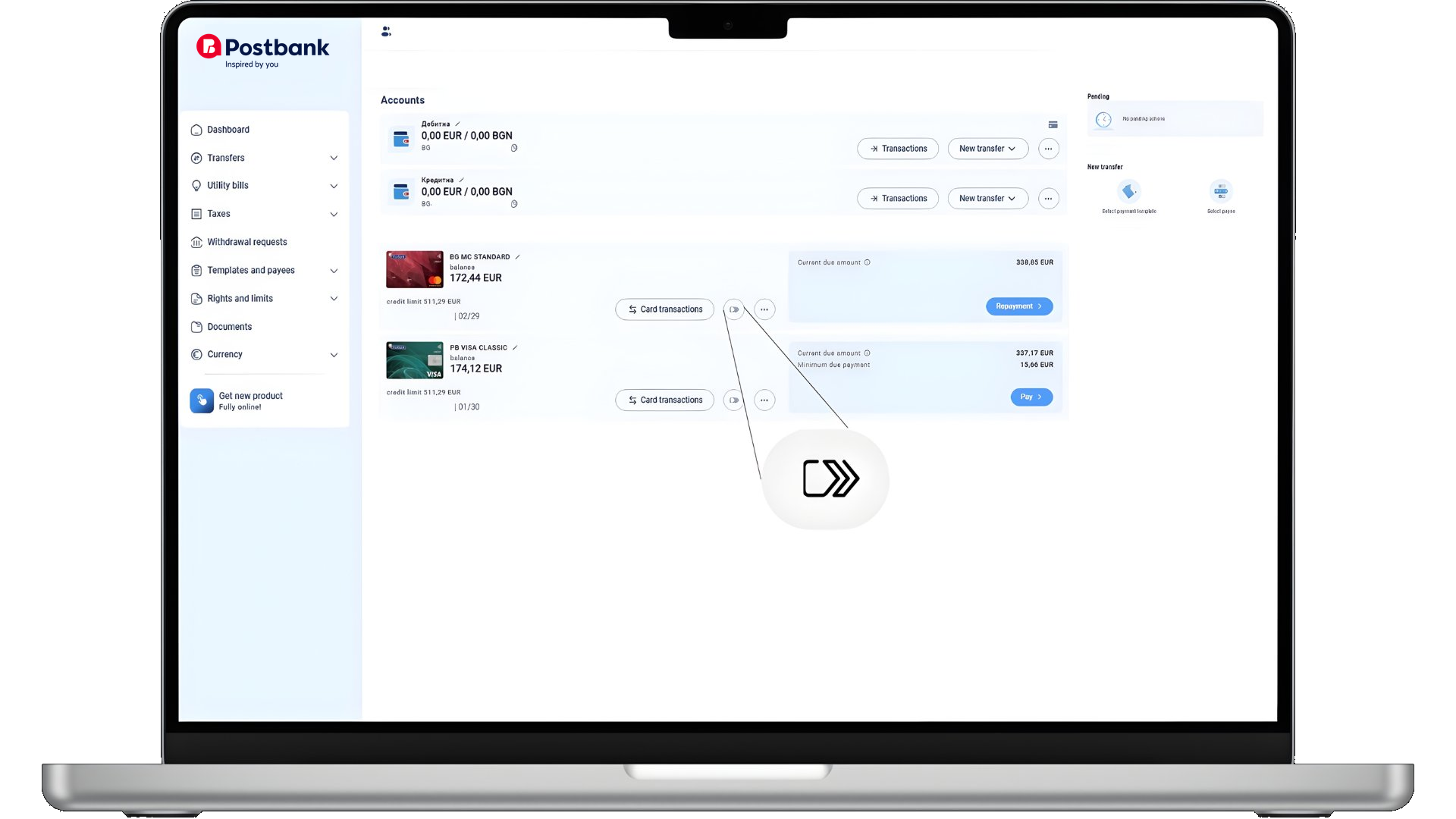
Open Postbank's internet banking site and activate the Click to Pay service from the button next to any suitable card.
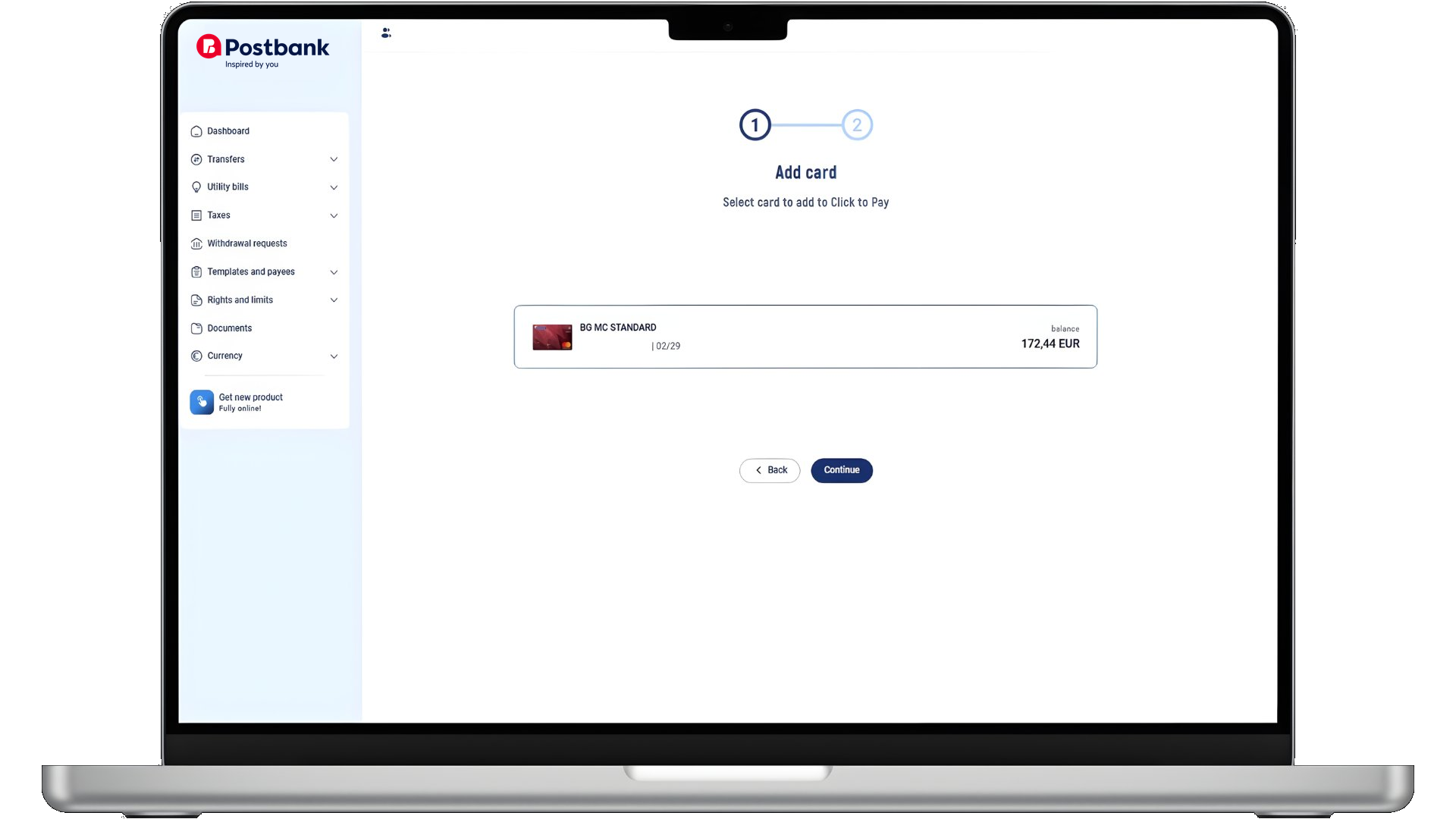
Select the card you want to add.
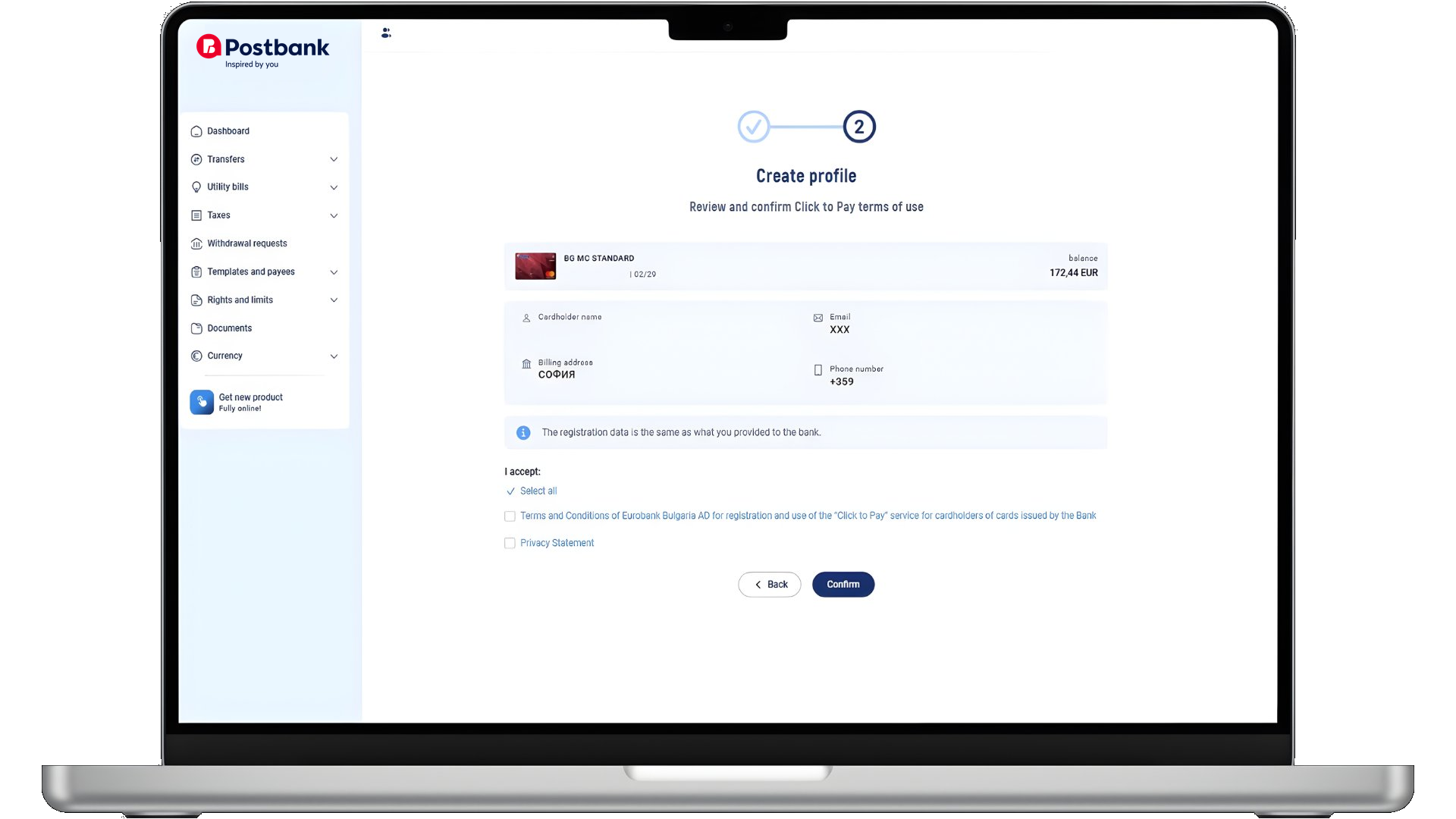
Review and confirm the terms of use.
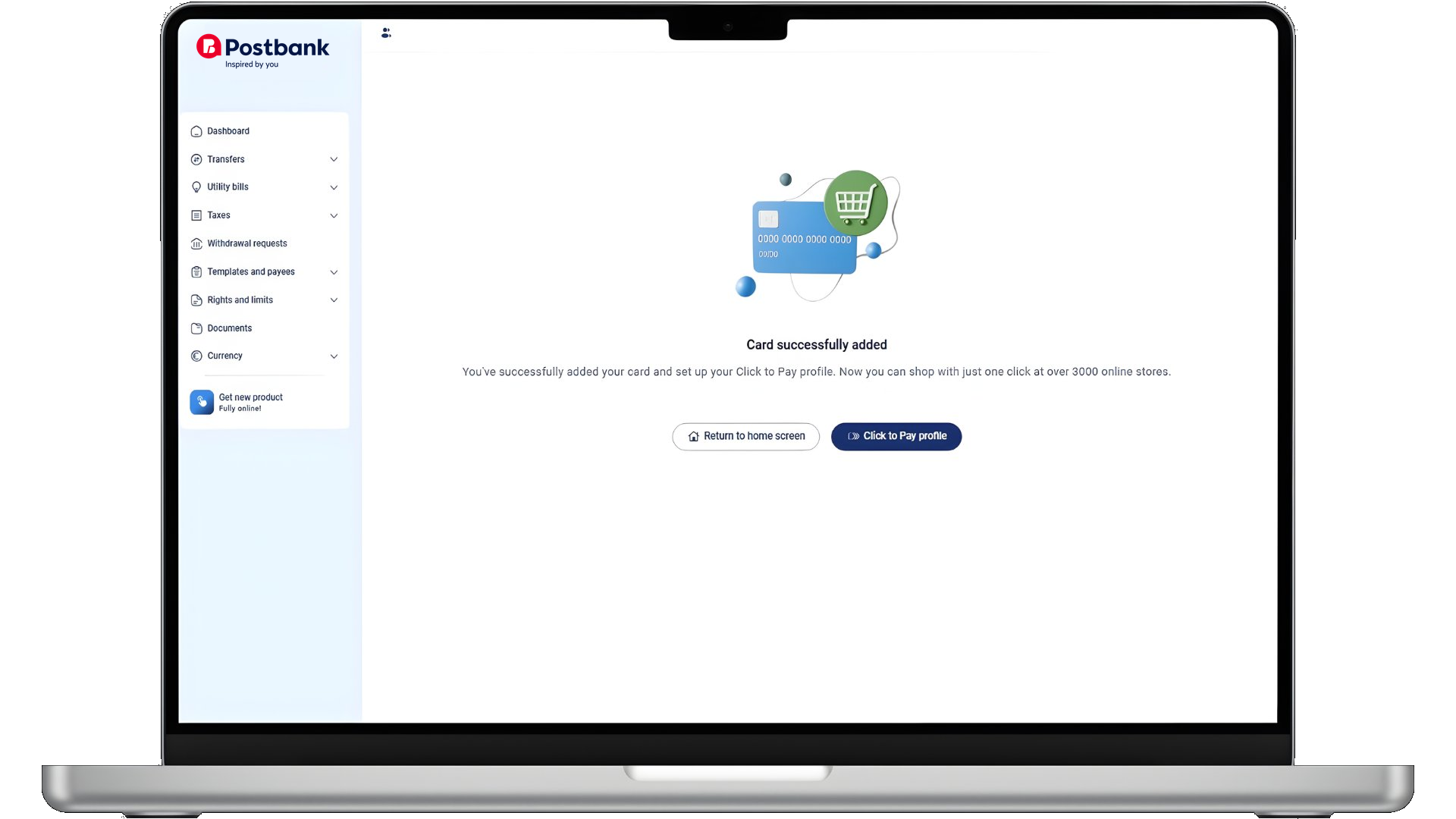
Successfully activated the Click to Pay service.